
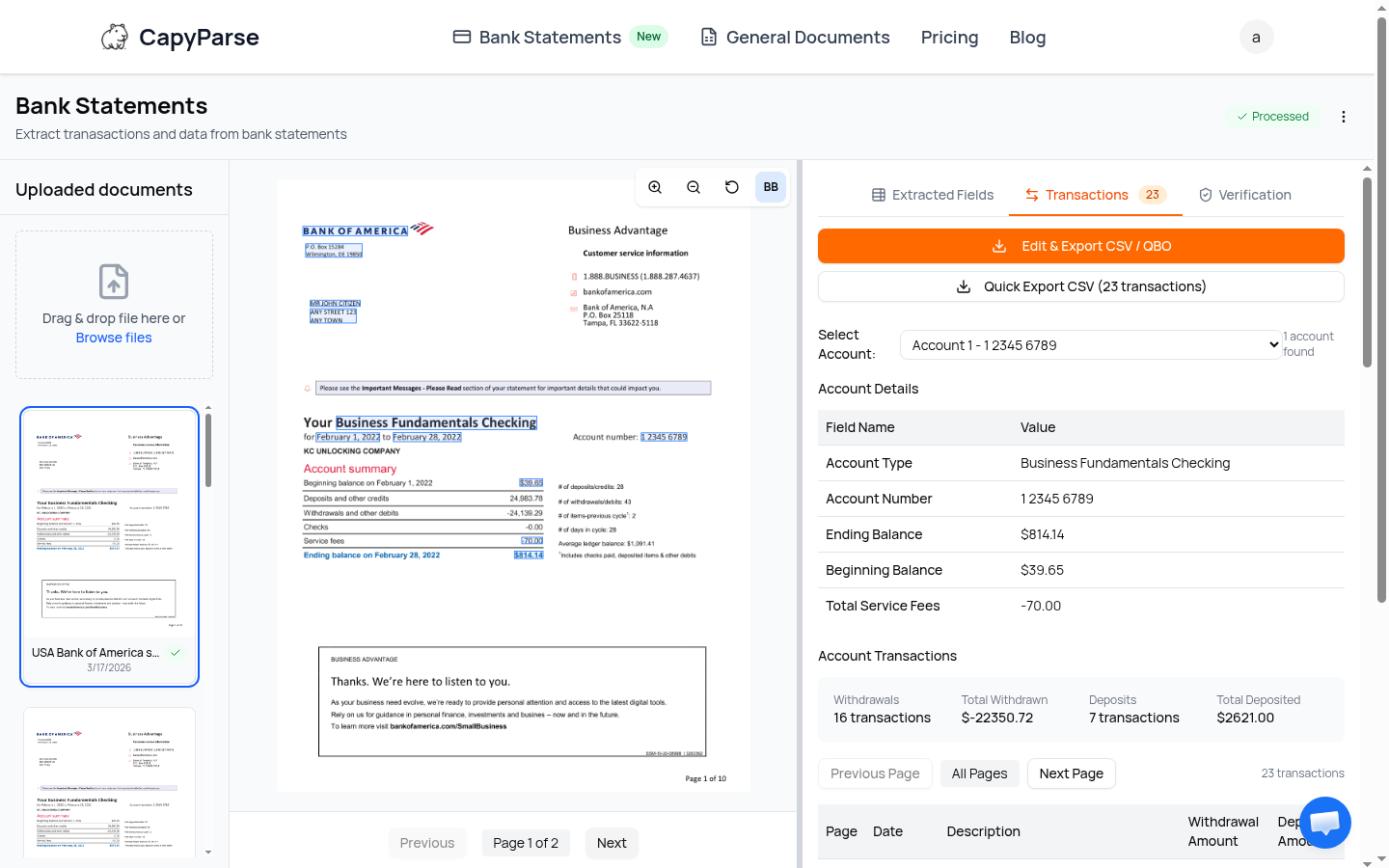

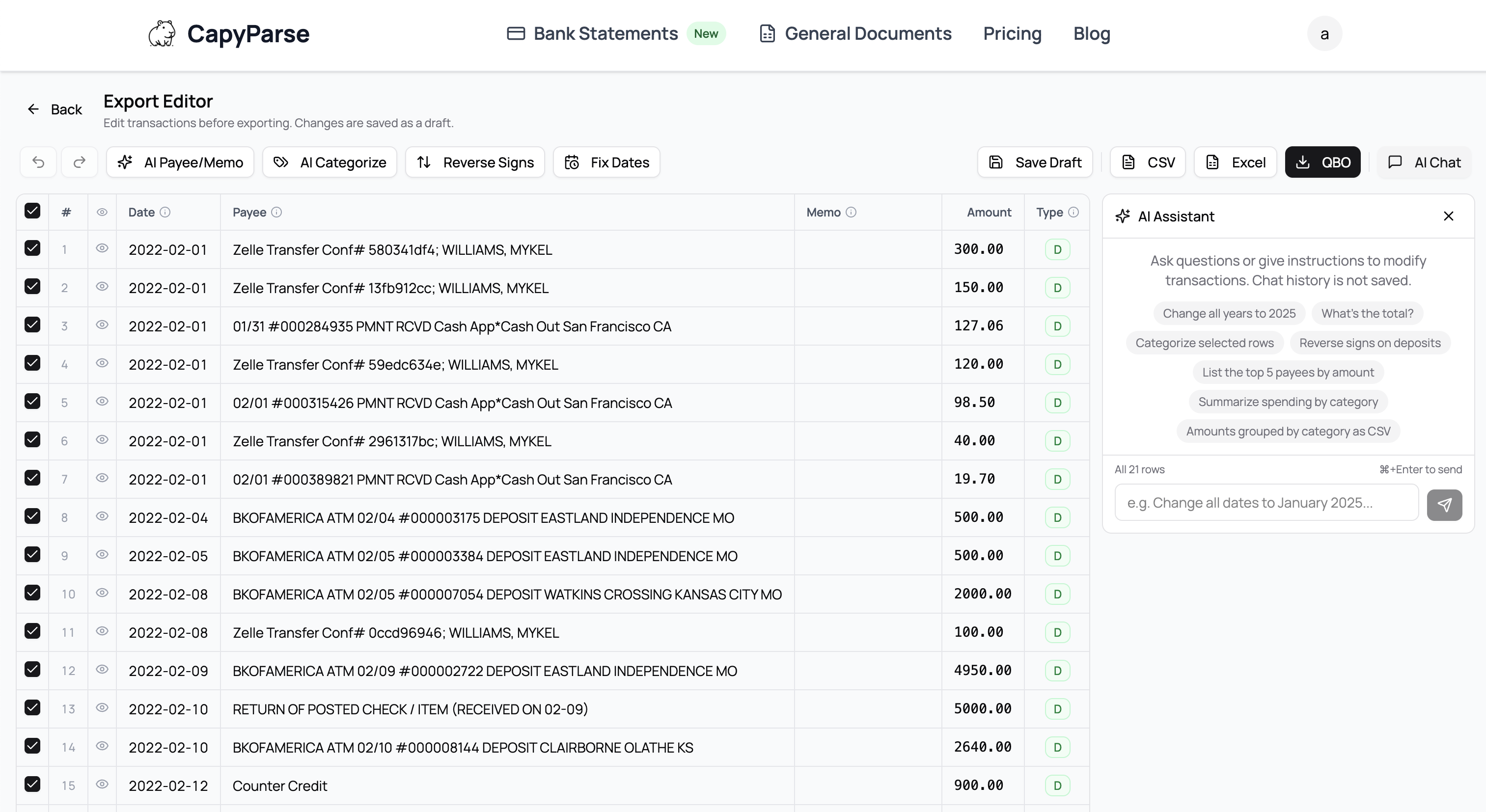

CapyParse uses AI to extract transaction data from any bank statement PDF whether it's scanned, photographed, or digital. Upload your PDF and get clean, structured data ready to import into QuickBooks, Xero, FreshBooks, or any spreadsheet. Export data to CSV, Excel, or QBO file formats.
Who it's for
- Built for accountants, bookkeepers, small business owners, mortgage lenders, and anyone who needs bank transaction data out of a PDF and into a usable format. If you've ever spent an afternoon retyping transactions from a bank statement, this is for you.
What makes it different
- Most converters rely on templates and only work if they've seen your bank's format before. CapyParse uses AI that adapts to any bank statement layout, including international banks and credit unions. No templates, no configuration.
Key features
- You get 10 free pages after signing up
- Supports almost every bank
- OCR handles scanned and photographed statements
- Batch upload multiple statements at once
- Confidence scores flag uncertain extractions for review
- Click any transaction to see its exact location on the original PDF
Why we built it
- Existing tools either cost too much, only work with specific banks, or fail on scanned documents. We wanted a converter that just works. Upload any bank statement from any bank and get accurate data back, every time.
Who it's for
- Built for accountants, bookkeepers, small business owners, mortgage lenders, and anyone who needs bank transaction data out of a PDF and into a usable format. If you've ever spent an afternoon retyping transactions from a bank statement, this is for you.
What makes it different
- Most converters rely on templates and only work if they've seen your bank's format before. CapyParse uses AI that adapts to any bank statement layout, including international banks and credit unions. No templates, no configuration.
Key features
- You get 10 free pages after signing up
- Supports almost every bank
- OCR handles scanned and photographed statements
- Batch upload multiple statements at once
- Confidence scores flag uncertain extractions for review
- Click any transaction to see its exact location on the original PDF
Why we built it
- Existing tools either cost too much, only work with specific banks, or fail on scanned documents. We wanted a converter that just works. Upload any bank statement from any bank and get accurate data back, every time.