Assaya Review: AI Document Fraud Detection for Insurance Claims and Expense Reports
The line items add up to $2,160, the invoice asks for $9,160, and Assaya shows you exactly which digits changed
Maulik Dhameliya
LaunchIgniter Score
Great
Assaya
Pros
- Six detection checks: changed amounts, hidden content, edited files, AI-made documents, numbers that don't add up and repeats across claims
- Evidence is marked on the page with a plain-language reason, not just a risk score
- Links fraud across claims by invoice number, bank account and document template
- Travel and expense mode checks every receipt against the card charge and trip dates
- A person makes every decision, and approving a high-risk document requires a written reason
- Serious security: TLS 1.3, AES-256 with per-case keys, write-once originals and signed deletion certificates
- Hosted in your chosen region or self-hosted in your own cloud account
- Low-risk rollout that starts with a backtest on closed claims
Cons
- No public pricing; quotes are based on claim or receipt volume
- SOC 2 Type II audit still in progress
- No specific claims or expense platform integrations named
- No published accuracy figures, customer logos or case studies
- No self-serve trial; evaluation starts with a sales demo
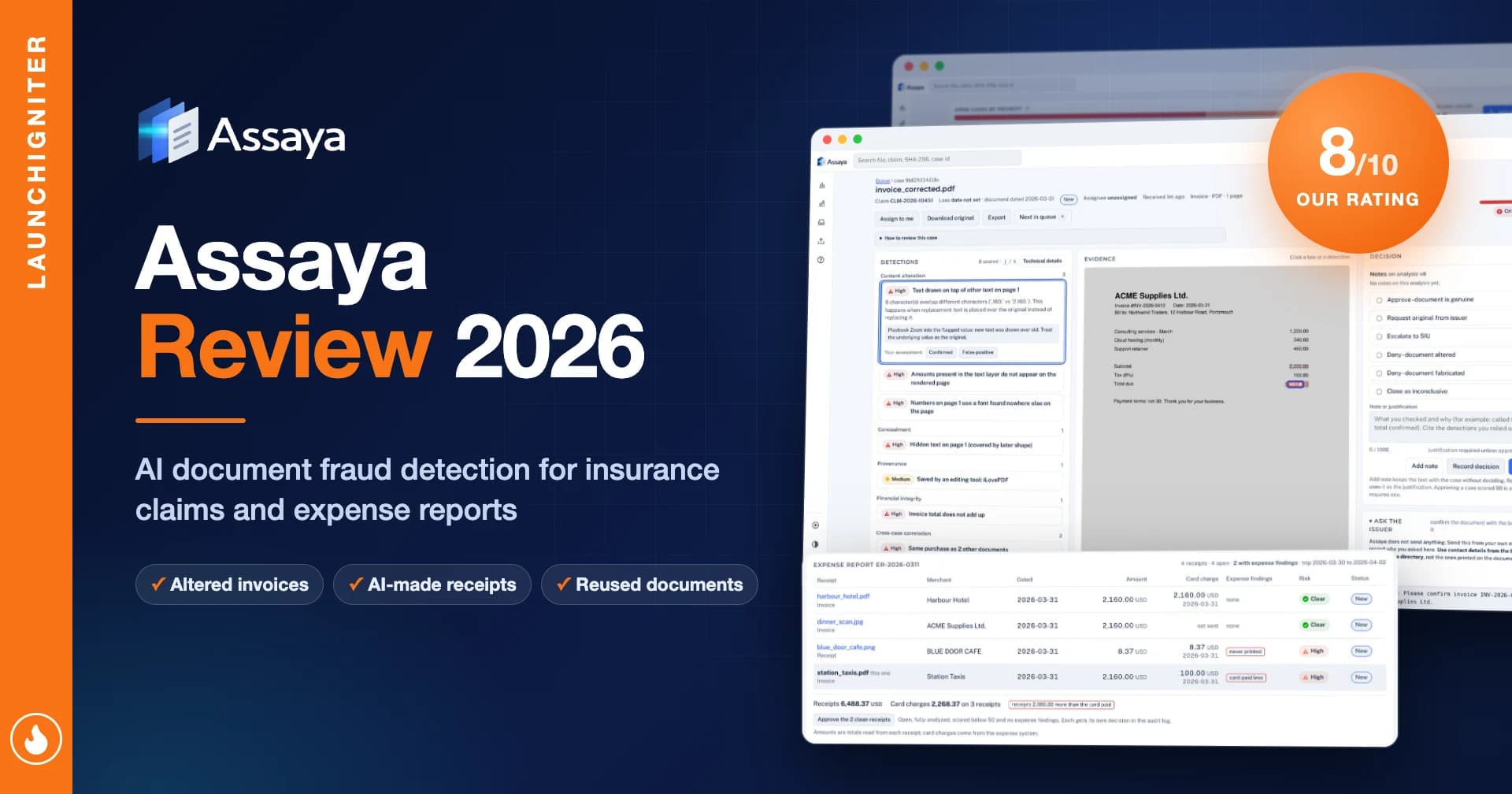
If you've ever worked a claims desk or an expense audit queue, you know the routine. A repair invoice comes in, the total looks a little high, and you squint at it for a minute. The font looks fine. The logo looks fine. You have 60 more files waiting, so you approve it and move on. Maybe you spot-check one in twenty, when there's time.
That routine was built for a world where faking a document took effort. It doesn't anymore. A free online PDF editor can change a total in seconds, receipt-generator websites print a convincing café bill on demand, and AI image models can produce a crumpled hotel receipt that never existed. Checking by eye doesn't scale, and the fakes are getting better faster than reviewers are.
Assaya is built for exactly this. It checks every document in an insurance claim or expense report for edits, fabrication and reuse, then puts the suspicious ones at the top of the queue with the evidence marked on the page. The name comes from assay, the test that proves whether gold is what it claims to be. Assaya doesn't offer a self-serve trial, so I couldn't run my own files through it. This review is based on its sample walkthrough, product pages, security documentation and white paper. Here's what it does well and where it still falls short.
What Is Assaya?
Assaya is an AI-powered document fraud detection tool for insurance claims and travel and expense teams. It checks every invoice, receipt, pay stub, medical bill and bank statement for edits, AI fabrication and reuse across claims, then ranks suspicious documents by risk with the evidence marked on the page. A person makes every final decision.
It's a web app built for two kinds of teams: insurance claims (adjusters, investigators and claims risk leaders) and travel and expense (finance, T&E and internal audit). It covers the documents those teams actually see:
Repair estimates and invoices
Medical bills, pay stubs and bank statements
Receipts, hotel bills, and taxi and ride receipts
Photos and scans of any of the above
Documents come in three ways: manual upload, a phone camera for paper documents, or a connection to your claims or expense system so files arrive automatically. Each one is analysed within minutes, checked against every other claim or expense report, and ranked by risk. A person makes every decision, and every decision is recorded.
The tagline is "See what changed," and that's the right way to think about it. Assaya isn't a black-box score. It's an evidence tool.

The Six Checks: Where It Earns Its Keep
The What it finds page lists six kinds of trace that manipulation, fabrication and reuse leave behind. Each one maps to a real way documents get faked.

Changed amounts. A total, date or name edited after the document was issued. In Assaya's sample, a repair invoice's line items and tax add up to $2,160, but the total due reads $9,160. Assaya outlines the changed digits, rates the finding High, and explains that new text was drawn over the original value.
Hidden content. Something covered so a reader won't see it. The classic case is a white box pasted over the original total, which is invisible on screen but still readable inside the file.
Edited files. Evidence that a document went through editing software instead of coming straight from the business, like an invoice last saved in a free online PDF editor. Real repair shops don't usually do that.
AI-made documents. A document or photo generated or altered with AI. In one sample, a receipt photo carries the settings of an AI image generator.
Numbers that don't add up. Line items, taxes or balances that don't match the printed totals. My favourite example: a pay stub whose tax withholding matches a salary of $3,120, not the $5,200 printed on it. Fraudsters often change the headline number and forget the maths underneath.
Repeats across claims. The same document, invoice number, bank account or design appearing on different claims. In Assaya's example, two "different" roofing companies share an invoice layout that matches one already confirmed as fake. This is the check that turns one caught fraud into a whole ring.
Every finding says what was found, shows where it is on the page, and suggests what the reviewer should check next. For a junior adjuster, that last part matters as much as the detection itself.

Built Around the Reviewer, Not the Model
The workflow is simple: submit, analyse, review the evidence, decide. What I like is how firmly Assaya keeps people in charge.

One queue, highest risk first. Instead of working oldest first on gut feel, reviewers get a single list sorted by risk, with a plain-language reason on every flag. Honest claims stop waiting in the same line as suspicious ones.

Clear decision options. On a flagged document, the reviewer can approve, request the original from the issuer, escalate to investigations, deny it as altered or fabricated, or close it as inconclusive. That last option is a nice touch, because not every anomaly is fraud.
Guard rails in both directions. Assaya never denies a claim or rejects a receipt on its own. Approving a high-risk document requires a written reason. Changes to scoring run silently on real documents before the review team sees them. And Assaya "scores documents, not people", so it doesn't rate or track employees.
Referrals with evidence. For investigators, this is the big change. A referral stops being a hunch sent by email and becomes a case file: changes marked on the page, related claims linked, and a complete record of who saw what and who decided.

Risk leaders get reporting on outcomes by risk level, how fast decisions are made, and how often each warning sign turns out to be right. That's the data you need to justify the tool to a CFO.

Travel and Expense: Checks Against the Card and the Trip
The Travel & expense mode is more than a rebadge. Expense fraud looks different from claims fraud: lots of small receipts, only a few that matter. Your expense system sends each receipt with its card charge and trip dates, and Assaya runs six receipt-specific checks:

Edited receipts: total, date or merchant changed after the receipt was issued, such as a taxi fare that was raised.
Never on paper: receipts made on a computer or a receipt-generator website, with characters that are pixel-for-pixel identical in a way a real till never prints.
AI-made images: some AI tools sign what they make, and Assaya reads that signature. Unsigned images still go through every other check.
Against the card: the receipt doesn't match the card charge. Assaya's example is a receipt for 2,160.00 against a card charge of 100.00.
Outside the trip: a dinner receipt dated a week after the employee flew home.
Claimed twice: the same hotel bill on two colleagues' reports for the same trip, or a receipt number out of sequence for that merchant.
Reports are ranked by their riskiest receipt, review only starts above a score you set, and a report's clean receipts can be approved in one step. Scores and reasons are sent back into your expense system. Assaya deliberately leaves policy rules (limits, personal spend, already reimbursed) in the tool you already use. It only answers one question: is this document genuine?

Security That Reads Like It Was Written by Engineers
Claims files are full of medical bills, pay stubs and bank statements, so security isn't a footnote here. Assaya's security page is one of the most specific I've read from a company this young:

Encryption: TLS 1.3 on every connection, including inside the service, with post-quantum key exchange where supported. Data at rest uses AES-256 with a separate key for each case, protected by a key dedicated to your company, and every use of that key is logged.
Matching without decrypting: checks for repeated invoice numbers or bank accounts across cases run without decrypting the values.
Tamper-proof originals: original documents go to write-once storage, and each file is opened in isolation so a malicious upload can't affect anything else.
Deletion you can prove: you set retention for closed cases. Deleting a case destroys its keys, backups age out within 30 days, and every deletion comes with a signed certificate.
Deployment choice: Assaya's hosted service in the region you choose, or your own cloud account.
Audit trail: every view and decision is recorded, and later attempts to edit the record are detected.
Assaya also recommends that expense customers bring in works councils and employee-monitoring reviewers before going live. That's a small detail, but it shows the team understands how these deployments really go in Europe.
The Forger's Toolkit White Paper
Alongside the product, Assaya published The Forger's Toolkit (October 2026), a free six-page PDF on how claim documents and receipts are faked. It groups real-world forgery into five methods: editing the real document, editing the picture, making it from scratch, reusing a real receipt, and hiding instructions aimed at the reviewer's own AI model. For each one, it describes the traces left behind.

The paper reports how Assaya's checks performed on 6,760 documents from public test sets, including where they failed. In fraud-tech marketing, admitting failure cases is rare. The section on prompt injection, meaning hidden white text written to fool an AI reviewer, is worth reading even if you never buy the product.
What's Missing
Public pricing. There's no pricing page. You get an estimate on the demo call based on your claim or receipt volume. That's normal for enterprise fraud tools, but it makes early comparison harder.
Named integrations. The site says Assaya connects to "your claims or expense system" and supports single sign-on, but it doesn't name a single platform. If you run Guidewire, Duck Creek, SAP Concur or Expensify, ask about the specific connector on the call.
SOC 2 Type II. The audit is part of Assaya's launch plan, and the report will be shared when it's complete. Until then, regulated insurers should expect a longer security review.
Proof points and company details. There are no customer logos, case studies or headline accuracy numbers on the site, and the team and legal entity aren't named. The white paper partly makes up for this, but procurement teams will ask.
A self-serve trial. You can't upload a document and see what happens. The demo uses sample documents, and testing on your own files is set up separately after the call.
How It Compares
Assaya isn't replacing a direct competitor so much as replacing a habit. Here's how it stacks up against the way most teams work today:
Task | Manual review | Expense policy rules | Assaya |
|---|---|---|---|
Checking documents | Spot checks by eye | Not checked | Every document, automatically |
Finding edited totals | Only if it looks off | No | Yes, marked on the page |
Detecting AI-made receipts | Rarely | No | Yes, plus five other checks |
Linking repeat fraud | Only if someone remembers | Duplicate receipt checks at best | Same invoice, bank account or template across claims |
Matching receipt to card | Manual | Sometimes | Total, date and merchant |
Explaining decisions later | Pieced together from notes | Rule log | Full record of findings and decisions |
Final decision | Reviewer | Rule engine | Reviewer, with evidence |
Vendors such as Resistant AI and TrueDoc work in the same document-fraud space on the claims side, and AI expense audit tools cover parts of the T&E side. Assaya's pitch is covering both with one evidence-first workflow and a security model you can self-host. Run a backtest before you compare on accuracy.
Who Should Get This
Insurance claims teams handling high volumes of property, auto, health or income-based claims will see the most value. Repair invoices, medical bills and pay stubs are exactly the documents Assaya is built to check.
Special investigations units will like the cross-claim linking. One confirmed fake template can surface every other claim built from it.
Finance and T&E teams at companies with large travel spend can stop reviewing every receipt and only look at the exceptions, with card and trip checks built in.
Assaya suggests a sensible rollout: run it on closed claims and compare its flags with outcomes you already know, connect your systems and SSO, go live with one team, then expand. If you're a small business processing a handful of receipts a month, this is more tool than you need. For everyone else, the backtest is the right first step. Book a demo to start.

How Much Does Assaya Cost?
Assaya doesn't publish prices. Here's what we know:
Demo: a focused 30-minute video call using sample documents. No sensitive documents are required.
Quote: a pricing estimate based on your claim or receipt volume, given on the call.
Evaluation: testing on your own documents is set up separately and securely after the call.
Deployment: hosted in your chosen region, or in your own cloud account.
Assaya FAQ
What is Assaya used for?
Assaya detects document fraud in insurance claims and expense reports. It finds altered amounts, hidden content, edited files, AI-generated documents, numbers that don't add up and documents reused across claims, then puts the riskiest ones at the top of the review queue.
How does Assaya detect AI-generated receipts?
Some AI image tools sign what they make, and Assaya reads that signature. Receipts without a signature still go through Assaya's other checks, including text that's too perfect to have been printed, totals that don't match the card charge and dates outside the trip.
How much does Assaya cost?
Assaya doesn't publish pricing. You get a quote on a 30-minute demo call, based on how many claims or receipts you process each month.
Is Assaya SOC 2 compliant?
Not yet. A SOC 2 Type II audit is part of Assaya's launch plan, and the report will be shared when it's complete. It already encrypts data with TLS 1.3 in transit and AES-256 at rest, with separate keys for each case.
Does Assaya automatically deny claims?
No. Assaya flags documents and explains why, but a person makes every decision. Approving a high-risk document requires a written reason, and every decision is recorded.
Which claims and expense systems does Assaya integrate with?
Assaya connects to your claims or expense system and supports single sign-on, but its website doesn't name specific platforms. Ask about your system on the demo call. You can also upload documents by hand or photograph them with a phone.
Can Assaya run in my own cloud?
Yes. You can use Assaya's hosted service in the region you choose, or run it in your own cloud account.
Specifications
| Product Type | AI document fraud detection (web app) |
| Use Cases | Insurance claims, travel and expense reports |
| Built For | Claims adjusters, investigators (SIU), claims risk leaders, T&E and internal audit teams |
| Documents Covered | Invoices, repair estimates, medical bills, pay stubs, bank statements, receipts, hotel bills, photos and scans |
| Detection Checks | 6 for claims, 6 for expense receipts |
| Analysis Time | Within minutes per document |
| Document Intake | Manual upload, phone camera, claims/expense system connection |
| Decision Model | Human makes every decision, full audit trail |
| Encryption | TLS 1.3 in transit, AES-256 at rest with per-case keys |
| Deployment | Hosted (region of your choice) or your own cloud account |
| Compliance | SOC 2 Type II in progress |
| Pricing | Custom quote based on claim or receipt volume |
Verdict
Assaya is one of the most thoughtfully designed document fraud tools I've come across. It doesn't hand reviewers a mystery score. It shows the edited digit, the white box hiding the original total, and the invoice template already linked to a confirmed fake, then leaves the decision to a person who can see the evidence.
The six claims checks and the travel and expense mode, which tests every receipt against the card charge and the trip, cover the ways documents actually get faked today, including AI-made receipts. The security model, with per-case encryption keys, write-once originals, signed deletion and a self-host option, is far more mature than you'd expect from a company this new.
No public pricing, no named integrations, no published accuracy numbers and a SOC 2 report still in progress keep it from a 9. But the core product is excellent, and for claims and expense teams still relying on spot checks, the backtest-on-closed-claims rollout makes Assaya low-risk to evaluate and well worth a demo.
Assaya is a LaunchIgniter Growth partner. Our rating and opinions are our own.